Private Text Studio for Mac
One native editor for everything made of text.
Notes, Markdown, drafts, prompts, CSV, JSON, logs, and lightweight code in one fast, native Mac app. It opens your real files, keeps your work on your Mac, and adds power tools only where they save time.
Faster, safer, and ready for big files.
Version 1.5 focuses on speed and on never losing work.
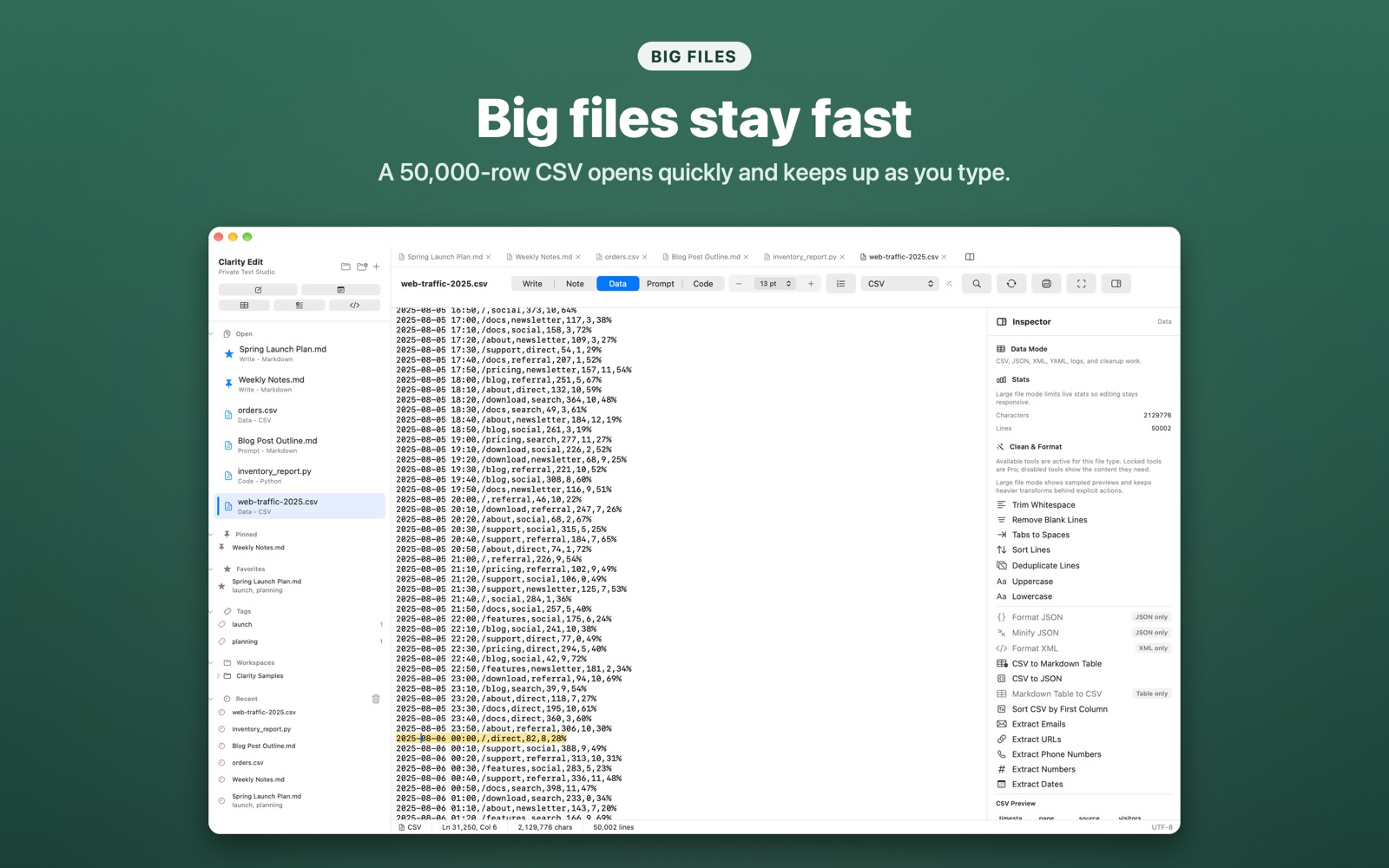
Handles big files
Large CSVs, logs, and long Markdown documents stay responsive while you type. Stats, line numbers, and the status bar now update without slowing the editor down.
Never lose unsaved work
Closing a tab, closing a window, or quitting now asks before discarding changes, and a document stays open until it has actually been saved.
Cleaner printing
Pages break between lines instead of through them, and the footer page numbers print in the right place.
Leaner local history
Snapshots are trimmed automatically, keeping recent versions of each document without letting history grow without limit.
Tidier prompt library
Delete prompt templates you no longer use, and starter templates and snippets no longer come back after you remove them.
A cleaner Recent list
Each file appears once in Recent, and only saved files are listed.
Built for the messy middle between notes and code.
Text work is not just prose or software. It is cleaning pasted data, saving prompts, editing JSON, drafting specs, comparing files, and making Markdown useful. Clarity Edit treats those jobs as first-class.
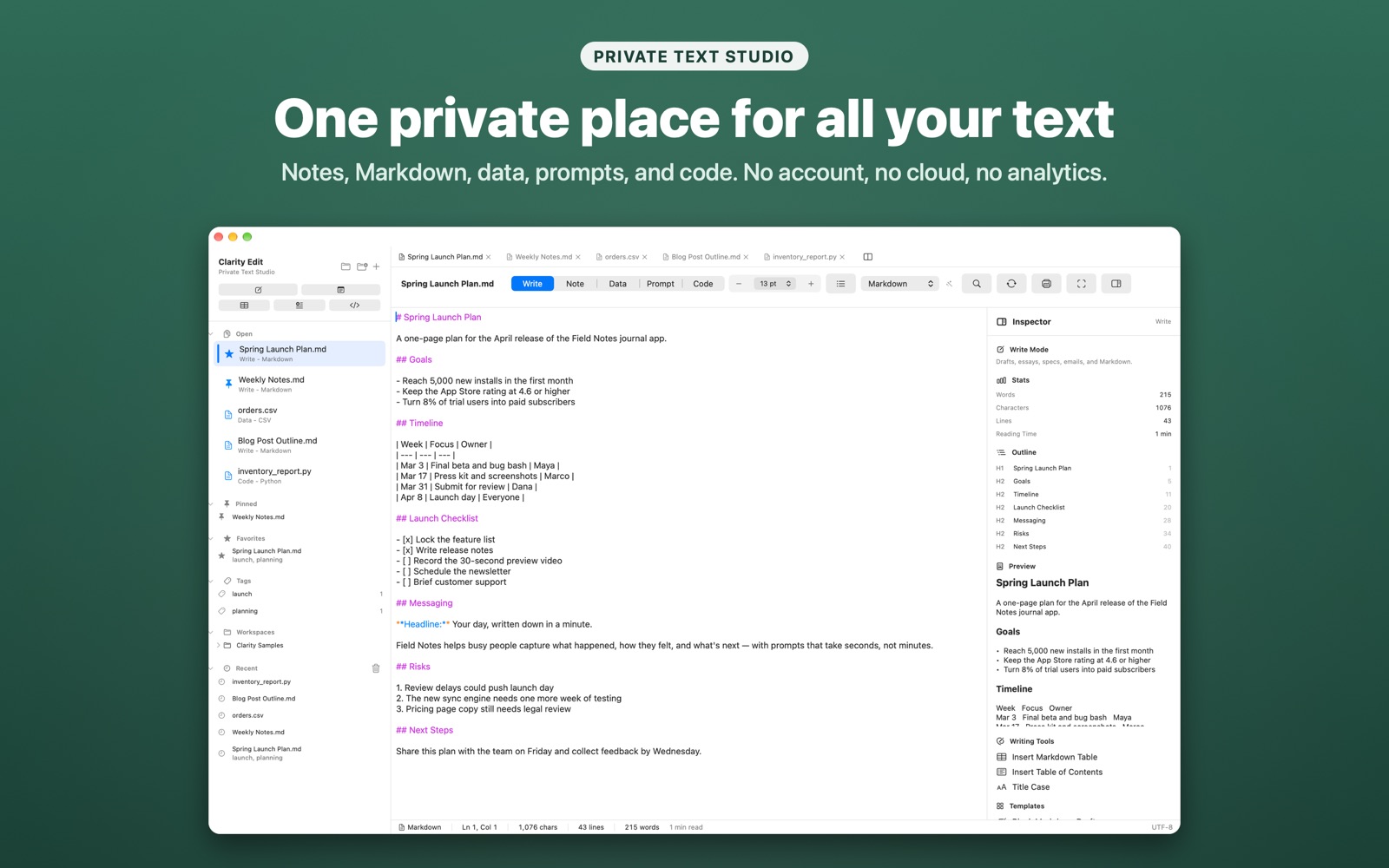
Drafts, specs, emails, and Markdown with live preview, a clickable outline, stats, Focus Mode, and one-step tables and tables of contents.
Quick local notes with tags, favorites, pinned files, and Recent. Start a Quick Note from the menu bar.
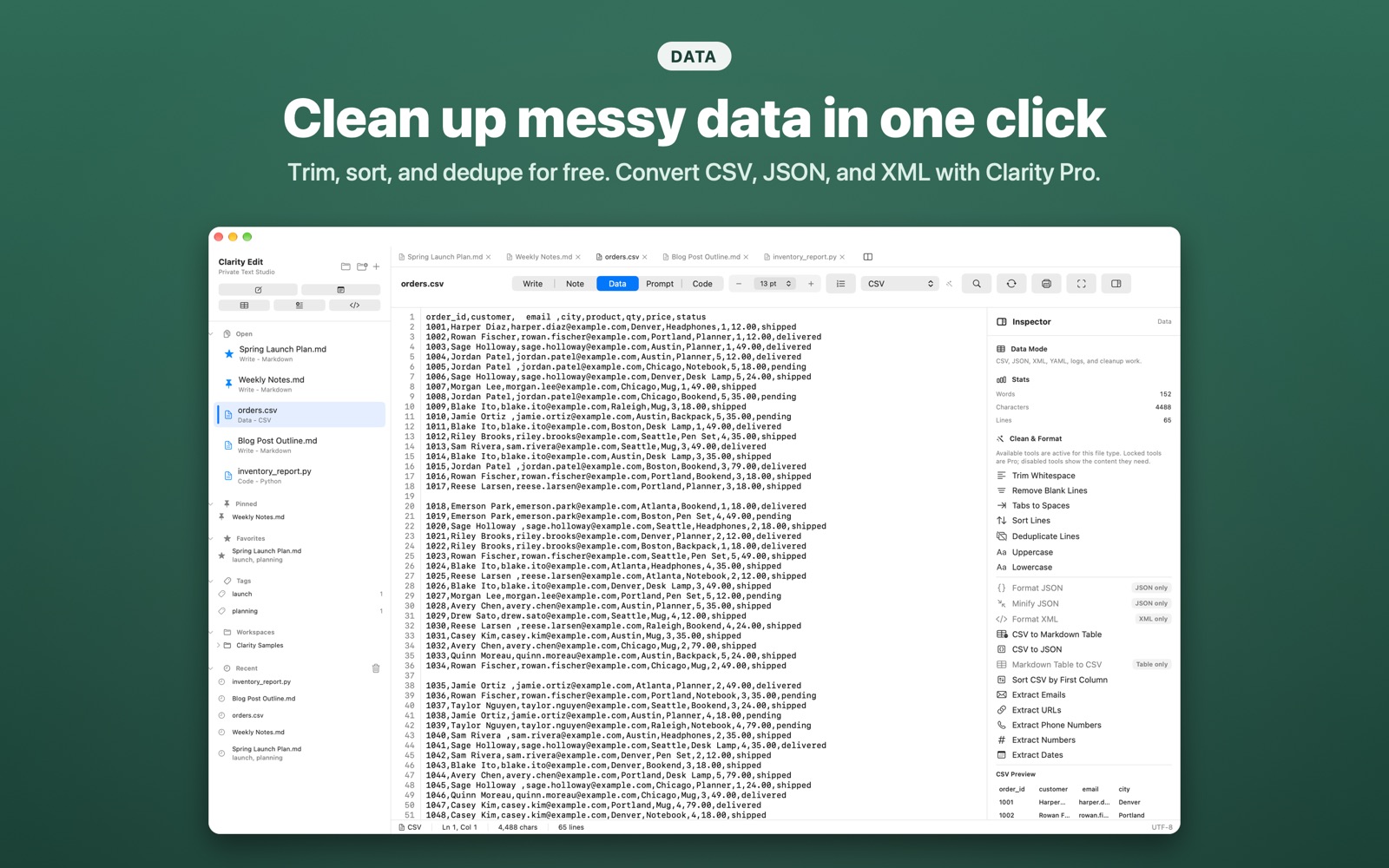
Clean, sort, dedupe, format, convert, and extract from CSV, JSON, XML, YAML, logs, and pasted text.
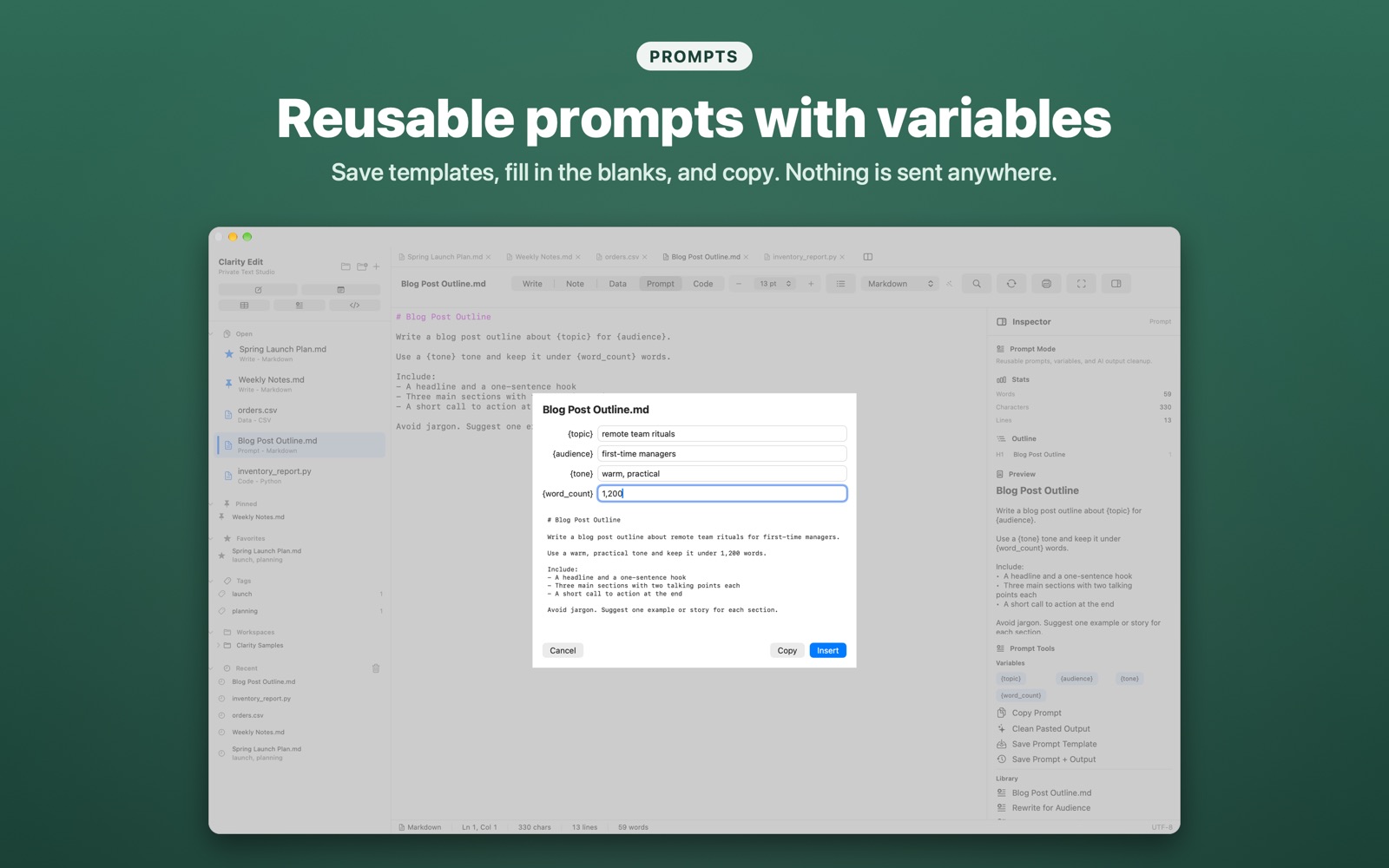
Reusable prompts with variables like {topic} and {tone}. Nothing is sent to an AI service.
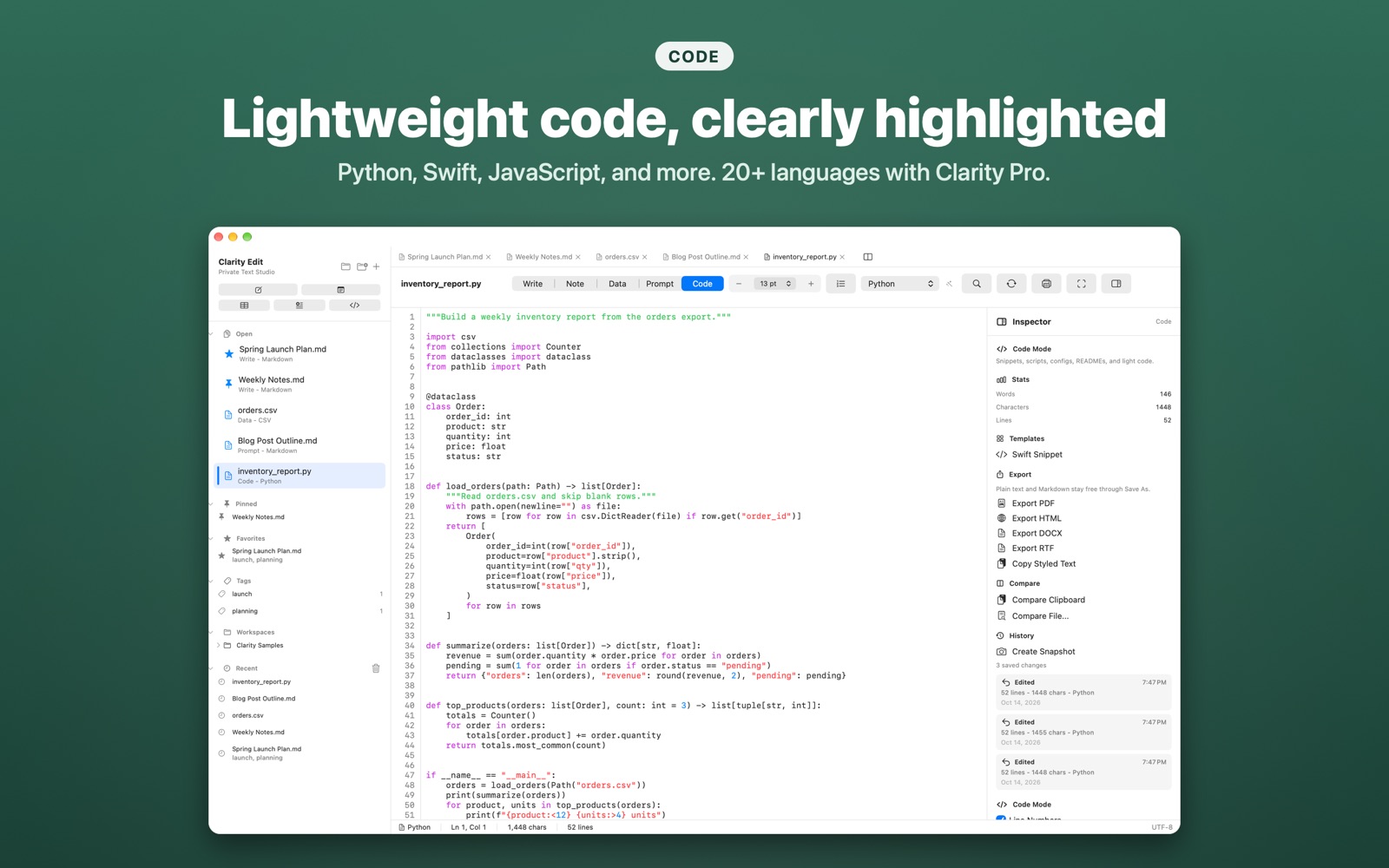
Scripts, configs, and snippets with syntax highlighting and line numbers, without opening a full IDE.
See it in action.
Free, for good.
Clarity Edit Free is useful even if you never upgrade. Opening, editing, and saving files, Markdown preview, printing, plain text and Markdown export, everyday cleanup tools, and restoring purchases are never locked behind Pro.
Free includes syntax highlighting for everyday formats: Markdown, plain text, CSV, JSON, XML, YAML, HTML, CSS, JavaScript, Python, Swift, and logs.
Free highlights
- Unlimited normal text files, tabs, Recent, favorites, pins, and tags.
- Markdown editing, live preview, clickable outline, tables, and table of contents.
- Raw CSV, JSON, XML, and YAML editing.
- Find and replace in the current document, and printing.
- Cleanup: trim whitespace, remove blank lines, tabs to spaces, sort, dedupe, and change case.
Clarity Pro: one-time purchase, no subscription
- Exports: PDF, HTML, DOCX, RTF, and styled copy.
- Data tools: JSON and XML formatting, CSV and Markdown table conversion, extraction tools.
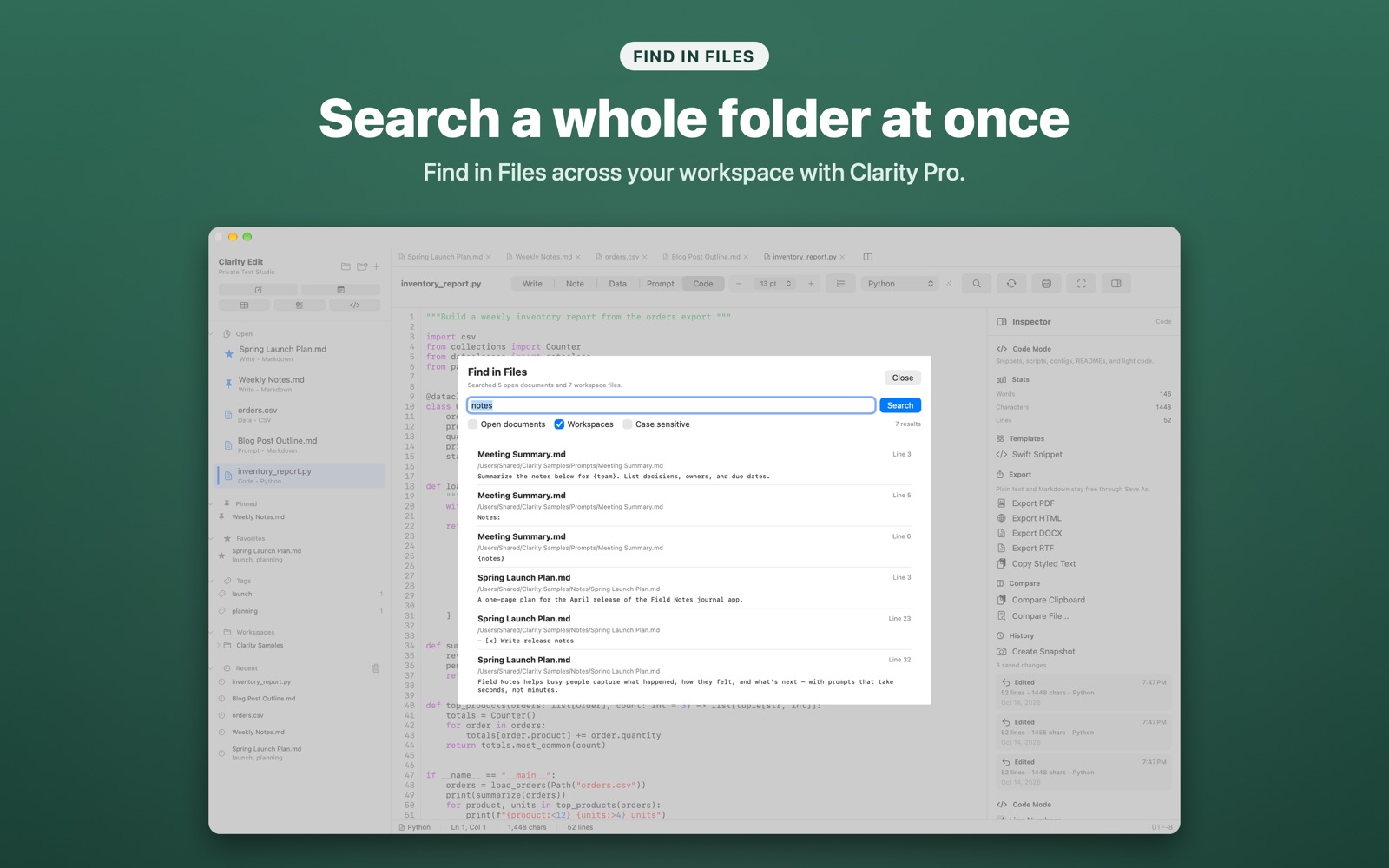
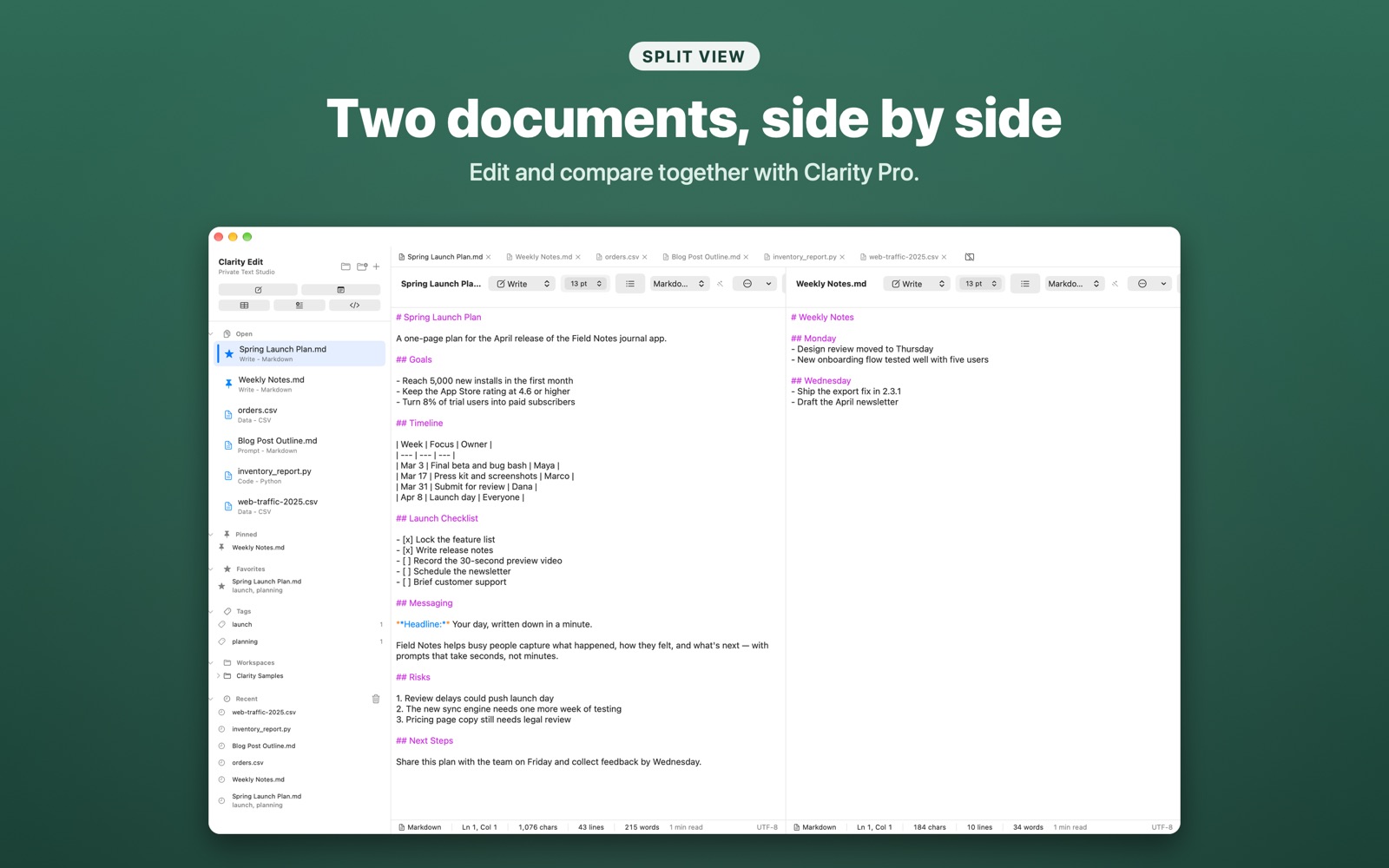
- Workspaces: multiple folders, Find in Files, column-restricted search, split view.
- History and compare: local snapshots and restore, compare with the clipboard or another file.
- Prompts: unlimited templates with variables, prompt and output history.
- Full Code Mode: 20+ languages, completion, snippets, Apex and SOQL.
Pro unlocks power, not ownership.
Clarity Pro is for people who export, transform, search, and compare every day. It is a single in-app purchase with Family Sharing, and your files never depend on it.
Private by default.
Clarity Edit does not require an account, does not use analytics, and does not automatically upload your documents, notes, prompts, snippets, or usage activity.
Feedback is optional. If you choose Help > Send Feedback, the text you enter, an optional email address, optional system information, and a timestamp are sent to Sonoma Enterprises. Read the Privacy Policy.
Real ownership
Your documents stay standard files on your Mac, in folders you choose.
Open and write
No login, signup, or sync service before you can edit.
No telemetry
No analytics SDKs, ad tracking, or third-party usage tracking.
You decide
Feedback is sent only when you click Send Feedback.
Quick comparison
| Area | Clarity Edit Free | Clarity Pro |
|---|---|---|
| Files | Open, edit, save, save as, duplicate, print, and organize normal files. | Multiple workspace folders, split view, compare, and local history snapshots. |
| Writing | Markdown editing, live preview, outline, stats, tables, table of contents, and Focus Mode. | PDF, HTML, DOCX, and RTF export, plus styled copy. |
| Data | Raw CSV, JSON, XML, and YAML editing, and everyday line cleanup. | JSON and XML formatting, CSV to JSON and Markdown tables, CSV sorting, and extraction. |
| Prompts | Prompt Mode, {variables} in your prompts, starter templates, copy prompt, and output cleanup. | A saved prompt library with fill-in variables, and prompt and output history. |
| Code | Syntax highlighting for common text, web, data, Python, and Swift files. | Full Code Mode with 20+ languages, completion, snippets, Apex, and SOQL. |
| Search | Find and replace in the current document. | Find in Files across workspaces and column-restricted search. |
Frequently asked questions
Is Clarity Edit free?
Yes. Clarity Edit is free to download, and opening, editing, saving, Markdown preview, printing, plain text and Markdown export, and everyday cleanup tools are never locked. Clarity Pro is an optional one-time in-app purchase ($29.99 in the US) that adds exports, data tools, workspaces, history, the prompt library, and full Code Mode.
Is Clarity Pro a subscription?
No. Clarity Pro is a single purchase that stays unlocked, and it supports Family Sharing.
Does Clarity Edit require an account or internet connection?
No. Clarity Edit works with files on your Mac, does not require sign-in, and does not collect analytics. An internet connection is not required to use the app.
Can Clarity Edit open large files?
Yes. Version 1.5 keeps large CSVs, logs, and long Markdown documents responsive while you type.
What file types does Clarity Edit support?
Plain text, Markdown, CSV, JSON, XML, YAML, logs, HTML, CSS, JavaScript, Python, and Swift for free, plus 20+ languages including SQL, Apex, and SOQL with Clarity Pro.
Does Clarity Edit send my text to an AI service?
No. Prompt Mode stores and fills prompts locally. Clarity Edit has no built-in AI connection, so you decide what you copy and where it goes.
What are the system requirements?
Clarity Edit requires macOS 14.0 or later.