Everyday text workflows, mapped end to end.
Clarity Edit is organized around what you are doing with text: writing, capturing, cleaning, reusing, exporting, or editing lightweight code. Features marked Pro are part of the one-time Clarity Pro upgrade.
Drafts, specs, essays, emails, and Markdown.
A clean writing surface with Markdown awareness, live preview, and stats that help without getting between you and the text. Everything stays plain text and portable.
Quick local notes without a cloud workspace.
For meeting notes, class notes, study outlines, research fragments, and everyday Markdown notes.
Organized library
Recent, pinned, favorites, and tags in a sidebar you can collapse and customize.
Quick Note
Start a note from the Clarity icon in the menu bar, without hunting for the app window.
Portable files
Notes are normal files you can open in any other app.
No account
Nothing to sign in to, and no sync service your notes depend on.
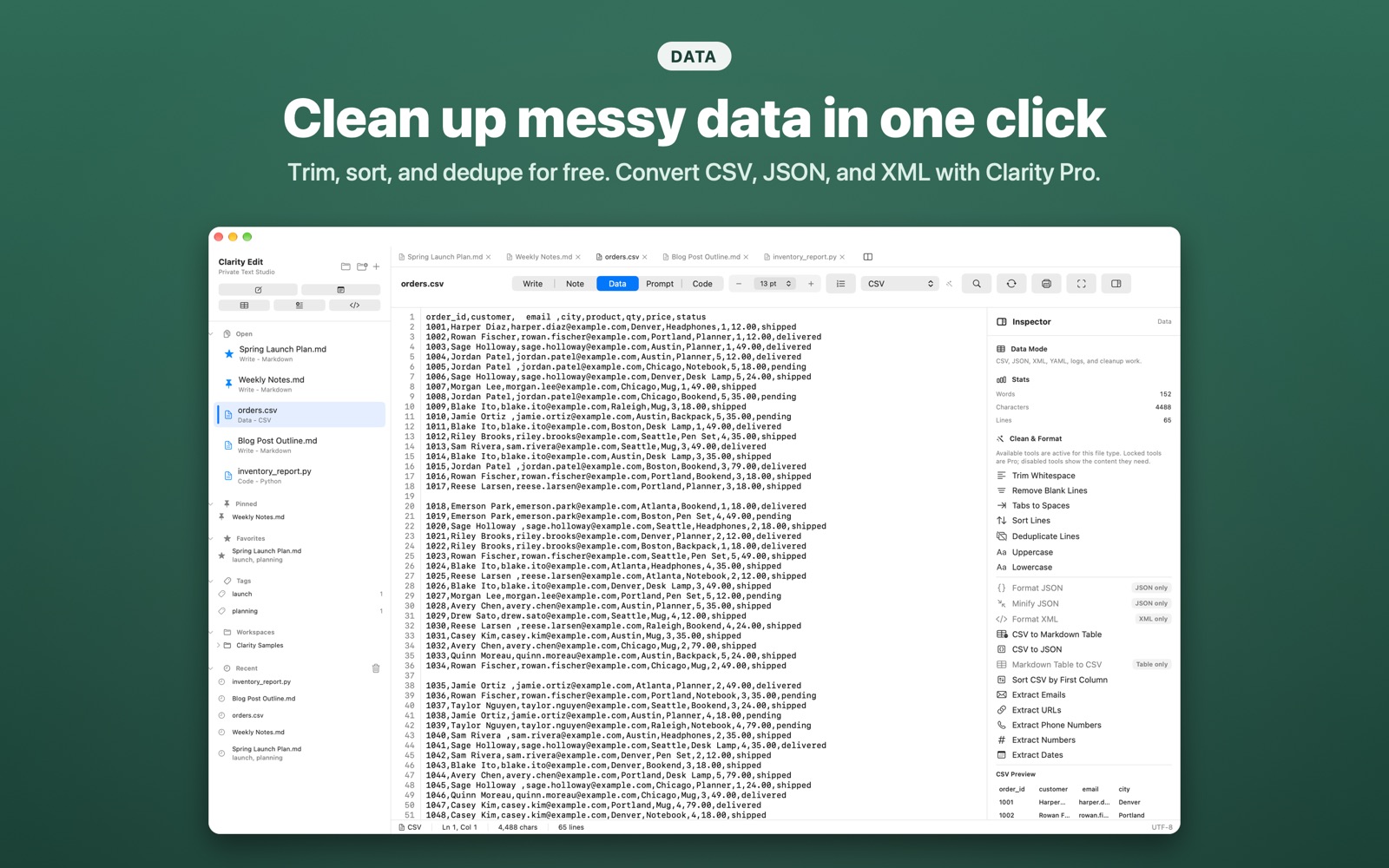
Clean structured text locally.
For the small, frequent cleanup jobs that usually send people to web utilities: CSV rows, JSON blobs, XML, logs, pasted AI output, and lists. Nothing is uploaded.
Free cleanup
- Trim trailing whitespace
- Remove blank lines
- Convert tabs to spaces
- Sort and deduplicate lines
- Uppercase, lowercase, and title case
Formatting and conversion Pro
- Format and minify JSON
- Format XML
- CSV to JSON
- CSV to Markdown table, and back
- Sort CSV rows
Extraction Pro
- Extract emails
- Extract URLs
- Extract phone numbers
- Extract numbers
- Extract dates
Reusable prompts and clean pasted output.
Prompt Mode is local-first. Clarity has no built-in AI connection: it helps you store, fill, copy, clean, and reuse prompt text that you control.
{topic}, {audience}, and {tone}, and Clarity lists them as you type.Code when you need it, without becoming an IDE.
Open a script or config file and start editing, with no project setup and no indexing to wait for.
Free
- Syntax highlighting and line numbers.
- Plain text, Markdown, JSON, XML, CSV, YAML, HTML, CSS, JavaScript, Python, and Swift.
- Automatic language detection.
Full Code Mode Pro
- 20+ languages, including SQL, Salesforce Apex, and SOQL.
- Code completion.
- Reusable snippets.
- Split view.
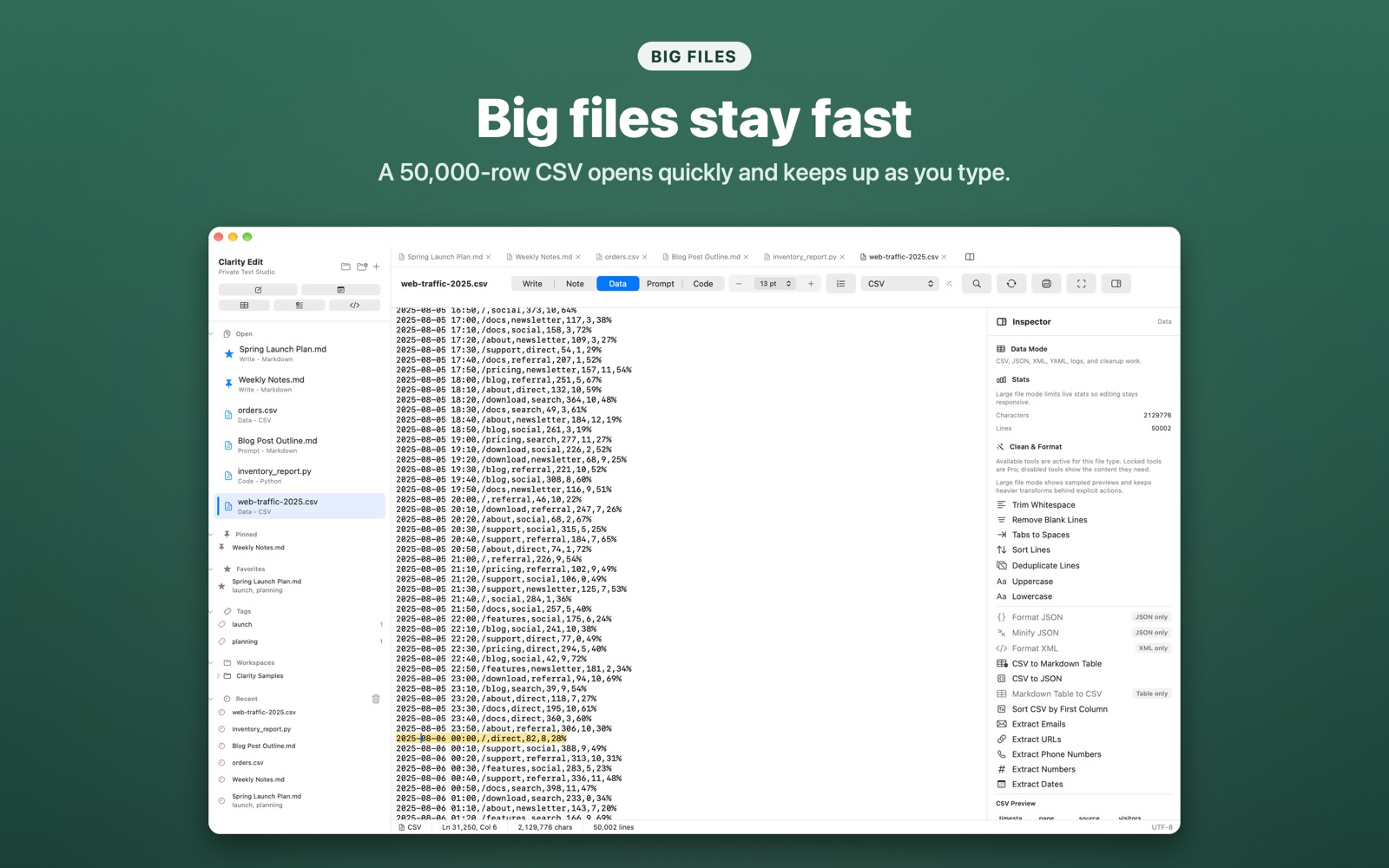
Big files stay responsive.
Large CSV exports, long logs, and book-length Markdown documents stay smooth while you type. Clarity only does the work the screen needs: line numbers are drawn for the lines you can see, and stats for large documents are calculated in the background.
Standard files, local metadata, useful sidebars.
Real files
Open and save txt, md, csv, json, xml, yaml, html, css, js, py, swift, sql, log, cls, trigger, and more.
Workspace folders Pro
Add several project folders to the sidebar and browse them alongside your notes.
Local metadata
Recent, tags, favorites, pins, workspaces, templates, snippets, and history stay in local app data on your Mac.
Share polished documents and roll back local changes.
Free users keep full access to plain text and Markdown. Pro adds formatted export and local history for repeated professional work.
Fast controls for repeated work.
Find and replace
Search and replace in the active document, including multi-line text.
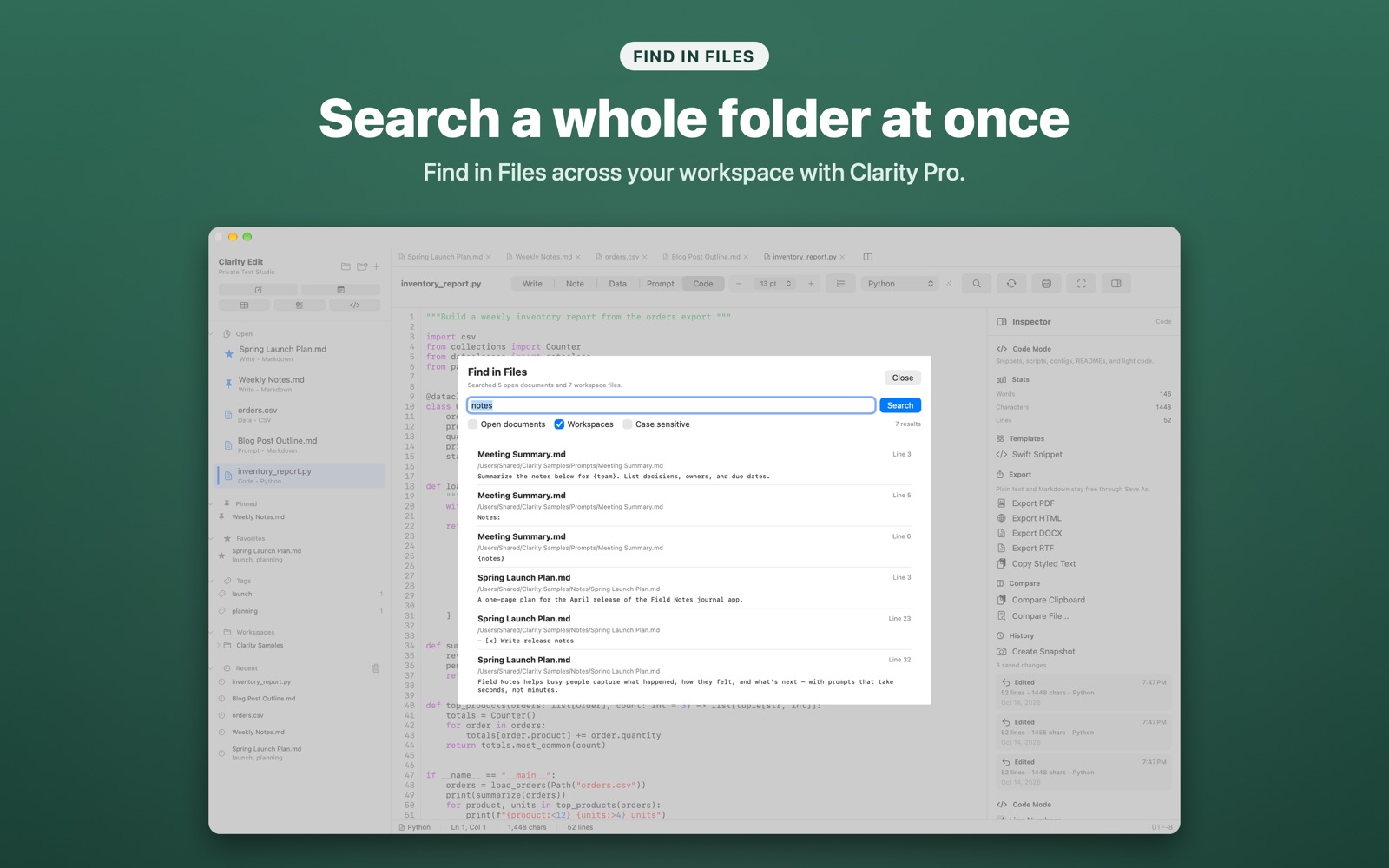
Find in Files Pro
Search across open documents and workspace folders, and limit a search to specific columns.
Command palette
Run common actions from the keyboard: new note, new prompt template, open folder, format JSON, convert CSV, export, and switch modes.
Your unsaved work is protected.
Clarity asks before anything with unsaved changes goes away, and it never closes a document that has not been saved.